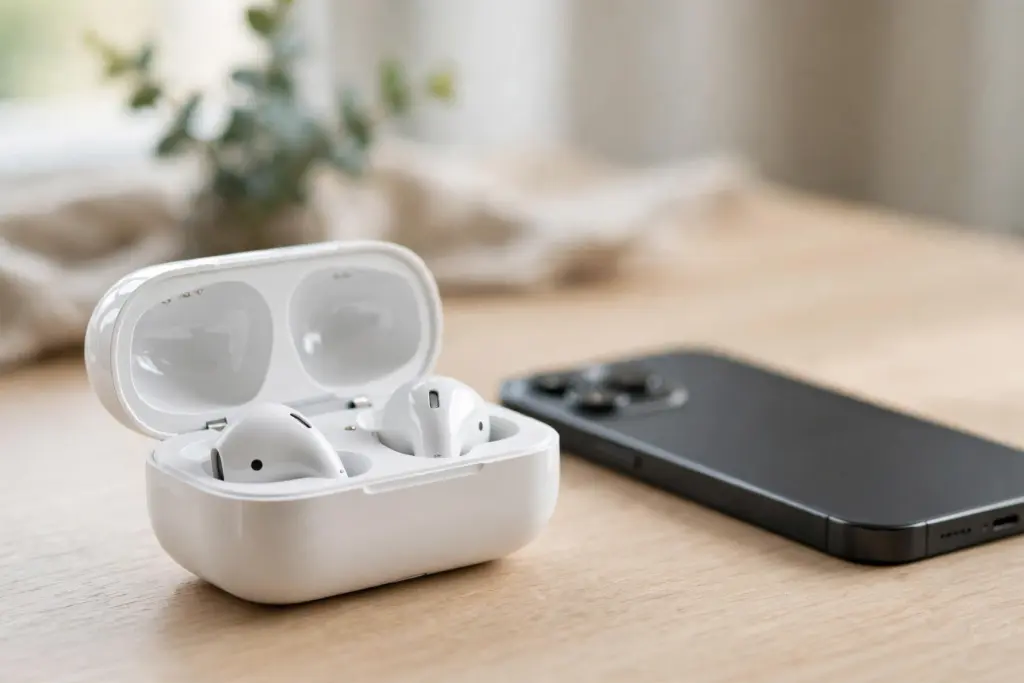
Somewhere right now, a factory is printing an AirPods Pro box that looks exactly like the one in the Apple Store. Same fonts. Same shrink wrap. Sometimes, even a serial number that Apple’s own website accepts. That’s the uncomfortable starting point for anyone trying to legit-check a pair of AirPods in 2026: the easy tests are the ones counterfeiters learned to pass first.
REAL CHECKS: 9 · 8 min read · Illustrations on this page are AI-generated, not product photos.
So this guide works the way professional authenticators do. No single check decides it. You stack several documented checks — the ones set out in Apple’s support documentation and in established authentication guides — and you look for the pair that fails more than one of them. One failure can be a fluke or a regional variant. Three failures is a verdict.
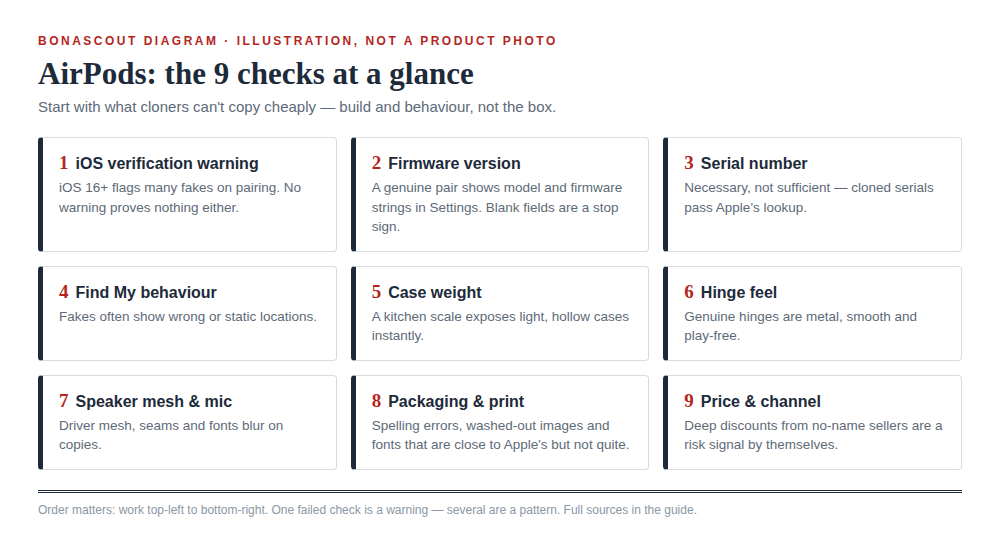
The 9 checks, in the order worth doing them
- The iOS verification warning (iOS 16 and later)
- The firmware version in Settings
- The serial number — and its limits
- Find My behaviour
- Weight against Apple’s published figures
- The case hinge
- Speaker mesh and microphone details
- Packaging and print quality
- Price and sales channel
1. The iOS verification warning
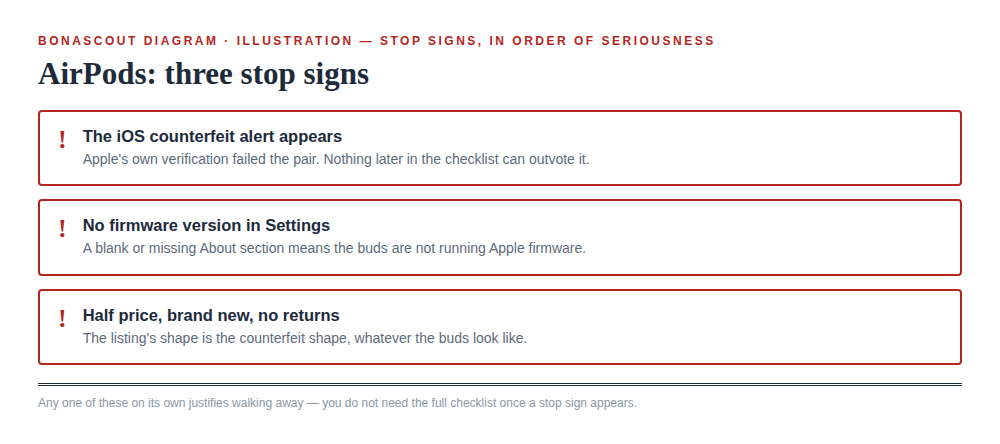
Since iOS 16, an iPhone actively screens AirPods during pairing. If the buds can’t be verified as genuine, a “Cannot Verify AirPods” alert appears, with Apple’s wording that the headphones “could not be verified as genuine AirPods and may not behave as expected.” Apple documents this alert in its support material, and it is the closest thing to an official fake detector that exists.
The alert doesn’t block you. There’s a prominent “Don’t Connect” button and a smaller option to connect anyway through Bluetooth Settings. But if a brand-new pair triggers it, stop there. Genuine AirPods do not trip their own maker’s verification.
2. The firmware version in Settings
Pair the buds, then go to Settings, tap your AirPods, and look for the About section with a firmware version. Genuine AirPods run Apple-issued firmware, and the version shown should match a version Apple has actually released for that model. Established legit-check guides single this out as one of the hardest details for copies to fake convincingly.
Copies typically fail in one of three ways: there’s no About section at all, the firmware field is blank, or the version number is one Apple never shipped. Any of those ends the inspection. You don’t need the other eight checks.
3. The serial number — useful, but weaker than you think
Every genuine pair has a serial number, printed inside the case lid, on the box label, and visible in Settings once paired. You can run it through Apple’s Check Coverage page, and you should. Just understand what the result means.
An unrecognised serial is damning. A recognised one is not proof. Counterfeiters harvest serials from genuine retail units and print them onto fakes, so a copied pair sails through the check carrying a real pair’s identity. Apple designed the coverage tool to check warranty status, not to authenticate hardware. Treat a pass as the absence of one red flag, nothing more.
4. Find My behaviour
Genuine AirPods register in Find My. You can see them on the map, play a sound to locate them, and — on AirPods Pro 2 — track the case itself. Copies pair over ordinary Bluetooth and play music happily, but they usually stop there. No proper Find My registration, no precise location, sometimes no separate battery readings for left bud, right bud and case in the pairing popup.
If the buds play audio but behave like generic Bluetooth earbuds everywhere else, that gap is the tell.
5. Weight against Apple’s published figures
Apple publishes exact weights in its tech specs: each AirPods Pro (2nd generation) bud is 5.3 g, and the MagSafe charging case is 50.8 g. Copies are built around cheaper drivers and batteries, and they frequently come in light — sometimes by a few grams, sometimes by a lot.
A kitchen scale won’t authenticate anything by itself. Manufacturing tolerances exist, and a pair that’s a gram off means nothing. But a case that’s 8 or 10 grams under spec, next to two other failures on this list, is solid supporting evidence.
6. The case hinge
Open and close the lid slowly. On a genuine case the hinge is stiff, smooth and silent, and the lid snaps shut with a clean magnetic pull. Documented comparisons of counterfeit units describe hinges that feel loose and rattly, lids that wobble side to side, and a snap that feels vague rather than decisive.
This is a supporting check, not a deciding one — a worn genuine case can loosen up too. It counts when it agrees with the software checks, not instead of them.
7. Speaker mesh and microphone details
Look closely at the mesh over the speaker and the microphone openings, ideally under your phone’s torch. On genuine buds the mesh is real, recessed metal with clean, even edges. On many copies it’s a printed pattern or a flat sticker doing an impression of mesh — it looks right from a metre away and wrong from ten centimetres.
Check the printed text on the buds and inside the lid while you’re there. Genuine printing is crisp and evenly spaced. Blurred letters, slightly wrong fonts, or text that sits at a faint angle all point the same way.
8. Packaging and print quality
Counterfeiters have got good at boxes, so keep expectations calibrated: a perfect box proves little. But a bad box still proves plenty. Look for spelling errors, washed-out product images, fonts that are close to Apple’s but not quite, and a serial label that doesn’t match the number inside the lid and in Settings. All three numbers — box, case, Settings — must be identical.
Also weigh what’s missing. A listing sold as “new, sealed” that arrives without the full paperwork and cable set of a retail unit has already told you something.
9. Price and sales channel
The dullest check on this list catches the most fakes. AirPods Pro pricing is tightly controlled, and genuine stock rarely appears at half price outside major retailers’ headline sales. A “brand new, sealed” pair at 50–70% off, from a social-media seller with no returns policy, is not a lucky find. It’s the standard shape of a counterfeit listing.
The safest version of this check happens before you pay: buy from Apple or an authorised reseller, and the other eight checks become a formality.
Real vs fake at a glance
| Check | Genuine AirPods Pro | Typical counterfeit |
|---|---|---|
| iOS pairing | Pairs with no verification alert | May trigger “Cannot Verify AirPods” on iOS 16+ |
| Firmware | About section shows an Apple-issued version | Missing About section, blank or unrecognised version |
| Serial number | Recognised by Check Coverage — and matches box, case and Settings | May also pass, if the serial was cloned from a real pair |
| Find My | Registers fully; location and sound features work | Usually absent or only partially supported |
| Case weight | 50.8 g (AirPods Pro 2 MagSafe case) | Often noticeably under spec |
| Case hinge | Stiff, smooth, silent; lid snaps shut cleanly | Loose, rattly, side-to-side wobble |
| Speaker mesh | Recessed real metal mesh, even edges | Printed or flat imitation mesh |
How to combine the checks
Think of it as a ladder. The software checks sit at the top because they’re hardest to fake: the iOS verification alert, the firmware version, Find My. The physical checks — weight, hinge, mesh, packaging — sit below them as supporting evidence. Price and channel sit underneath everything as context.
Fail one physical check and pass every software check? Probably fine — genuine production runs vary. Fail a software check, and the physical details stop mattering. That’s how authenticators work, and it’s the honest way to use this list.
FAQ
The serial number checks out on Apple’s site. Are they definitely real?
No. It rules out one failure, that’s all. Counterfeiters copy serials from genuine units, so a fake can present a real pair’s number. Confirm with the firmware check and Find My before you call it.
Can fake AirPods still work with an iPhone?
Yes. Most pair over standard Bluetooth and play audio, and some mimic the pairing popup and even noise cancelling. What they usually can’t reproduce is the full chain — iOS verification, Apple-issued firmware, and Find My registration.
I got the “Cannot Verify AirPods” alert but they were a gift. What now?
Take the alert seriously; Apple built it for exactly this situation. Run the firmware and serial checks to confirm, then talk to the giver or the seller while a refund or chargeback is still possible. Don’t bin them on the alert alone if the other checks pass — but don’t ignore it either.
What’s the single most reliable check?
The firmware version in Settings, backed by the iOS verification behaviour. Physical details shrink as copies improve from one production run to the next. Reproducing Apple’s software identity is a much harder problem, and it’s where copies still fail most often.
Sources
- MacRumors — Apple Explains iPhone’s New Alert Shown When Fake AirPods Are Connected (on Apple’s support document for the “Cannot Verify AirPods” alert)
- Apple — Check Coverage (official serial-number and coverage lookup)
- RefurbMe — How to Tell If AirPods Are Fake (firmware, Find My, mesh and hinge comparisons)
- Legit Check App — How to Spot Fake AirPods: The Official Guide (packaging, build and LED checks)
- Geeky Gadgets — Avoid Fake AirPods: Ways to Confirm They’re Genuine (serial validation and ecosystem behaviour)
This article was created with AI assistance and reviewed by our editorial team before publishing.